![WFI_Logo_Color_Small-1.png]](https://we.workforimpact.com/hs-fs/hubfs/WFI_Logo_Color_Small-1.png?height=40&name=WFI_Logo_Color_Small-1.png)
-
How do payments via Direct Bank Transfer work?
Once Direct Bank Transfer is set as the payout method for your contract, your approved earnings will be sent directly to the bank account you connected.
For hourly contracts, payments are processed according to the platform’s regular billing cycle. For fixed-price contracts, funds are transferred once a milestone is funded and released.
The payment will then be deposited into your bank account based on the selected transfer method and standard processing times.
-
Which transfer option should I choose: SEPA, Local, or SWIFT?
The available transfer options depend on the country where your bank account is located.
When you select your country from the drop-down menu, the platform will automatically display the transfer methods available for that country. These may include SEPA, Local, or SWIFT, along with the relevant details and requirements for each option.
You will also see specific information about how the transfer works in your country, including any applicable fees or processing details.
Please note that additional charges may apply depending on your bank’s policies.
For a full overview of supported countries and transfer methods, you can also consult the Airwallex list of available transfer options.
-
I have already verified my ID. Why do I have to do it again?
Identity verification is required to comply with financial regulations, including anti-money laundering (AML) and know-your-customer (KYC) requirements.
These safeguards help ensure secure transactions and protect both contractors and clients.
-
If I have verified my ID during the bank transfer payout process, do I need to verify it again in my personal settings?
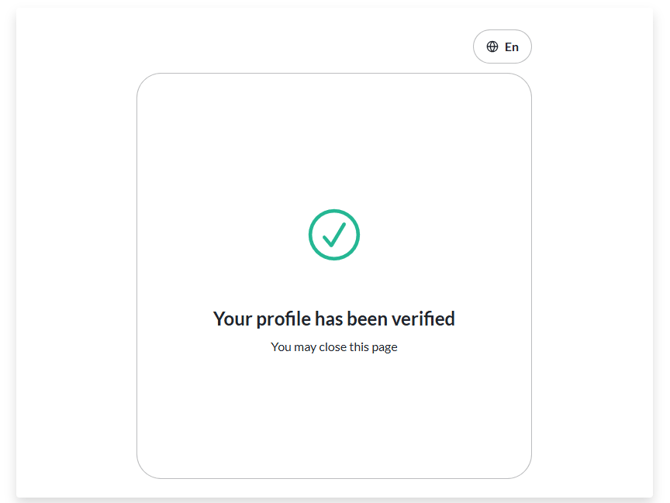
No! By verifying your ID during the bank transfer setup process, your profile will be automatically verified.
-
Do I have to pay any fees to receive my money?
Fees depend on the transfer method and your bank’s policies.
When you select your country from the drop-down menu while setting up your bank account, you’ll see all the relevant information about fees for that country, including which transfer methods are available and any potential receiving fees.
For reference:
- SEPA and Local transfers generally do not involve additional receiving fees.
- SWIFT transfers may include fees .
We still recommend checking with your bank to confirm any fees that might apply to your account.
-
How long does it take for the funds to be available in my bank account?
Processing times depend on the transfer method and your country.
Once you select your country from the drop-down menu while setting up your bank account, you’ll see the estimated processing times for the available transfer methods.
For reference:
- SEPA and Local transfers usually take 1–3 business days.
- SWIFT transfers usually take 3–5 business days.
Please note that times may vary depending on your bank and any intermediary banks. Business days exclude weekends and public holidays.
-
How can I know the Direct Bank Transfer payments are associated with my job?
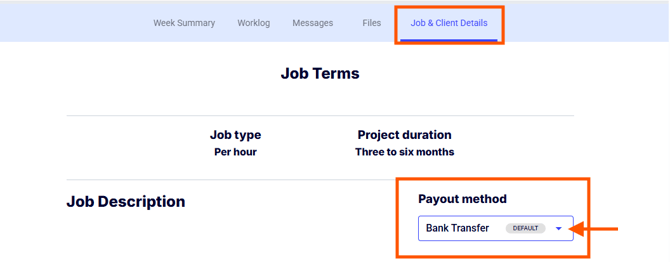
To check, go to the My Jobs - Active Contracts page, open the job, and click the “Job and Client Details” tab. Under Payout method, you’ll see the payout method associated with that job.
-
Can I change the payout option back to my previous method?
You can change the payout method by selecting an option from the drop-down menu. Please note that you can only switch between options if they were previously set up on your Billing - Account details page.
-
Can I use different payout methods for different contracts?
Yes. You can assign different payout methods to each active contract.
You can also change the payout method for a contract at any time. The newly selected method will apply only to future transactions.
-
Why didn’t my new payout method apply to a recent payment?
If a payout (for hourly contracts) or a milestone (for fixed-price contracts) was already processed or funded before you changed your payout method, it will remain linked to the previous method.
Changes only apply to future payments.
-
Can I use someone else’s bank account?
No. The bank account must belong to you and match the name and proof of address provided during identity verification.